Notes
Recap
This article is a supplement to Do Local AI Agents Dream of Electric Sheep? (Environment Setup) covering what I couldn't in the previous post. Last time I installed Ollama and LM Studio, then ran the mastra sample code using the API server created by LM Studio.
This time I explain how to run the sample using Ollama instead of LM Studio.
Using Ollama
The official docs recommend ollama-ai-provider-v2 for Ollama.
However, there is a bug where agents do not use tools with ollama-ai-provider-v2.
As reported in the issue below, it fails to generate text after tool calls.
As noted in the issue, you can avoid this by using @ai-sdk/openai-compatible instead.
src/mastra/agents/weather-agent.ts
Specifically, define an ollama variable (name arbitrary) instead of lmstudio,
and set baseURL to localhost port 11434, which is Ollama's default.
If you changed the port, use your own.
1diff --git a/src/mastra/agents/weather-agent.ts b/src/mastra/agents/weather-agent.ts2index eaedfcb..e22ecb9 1006443--- a/src/mastra/agents/weather-agent.ts4+++ b/src/mastra/agents/weather-agent.ts5@@ -10,6 +10,11 @@ const lmstudio = createOpenAICompatible({6apiKey: "lm-studio",7});89+const ollama = createOpenAICompatible({10+ name: "ollama",11+ baseURL: "http://localhost:11434/v1",12+});13+14export const weatherAgent = new Agent({15name: 'Weather Agent',16instructions: `17@@ -26,7 +31,8 @@ export const weatherAgent = new Agent({1819Use the weatherTool to fetch current weather data.20`,21- model: lmstudio("openai/gpt-oss-20b"),22+ // model: lmstudio("openai/gpt-oss-20b"),23+ model: ollama("gpt-oss:20b"),24tools: { weatherTool },25memory: new Memory({26storage: new LibSQLStore({
Then use ollama for model and pass the model name.
Here I want the gpt-oss 20b model, so gpt-oss:20b.
You can check model names with ollama list.
1$ ollama list2NAME ID SIZE MODIFIED3qwen3:8b 500a1f067a9f 5.2 GB 6 days ago4llama4:scout bf31604e25c2 67 GB 6 days ago5llama4:latest bf31604e25c2 67 GB 6 days ago6gpt-oss:20b aa4295ac10c3 13 GB 12 days ago7embeddinggemma:latest 85462619ee72 621 MB 13 days ago8nomic-embed-text:latest 0a109f422b47 274 MB 4 weeks ago9qwen3:30b-a3b-instruct-2507-fp16 c699578934a3 61 GB 5 weeks ago10gpt-oss:120b f7f8e2f8f4e0 65 GB 6 weeks ago11Gemma3:27b a418f5838eaf 17 GB 5 months ago
Check it works
Start mastra and enter a prompt.
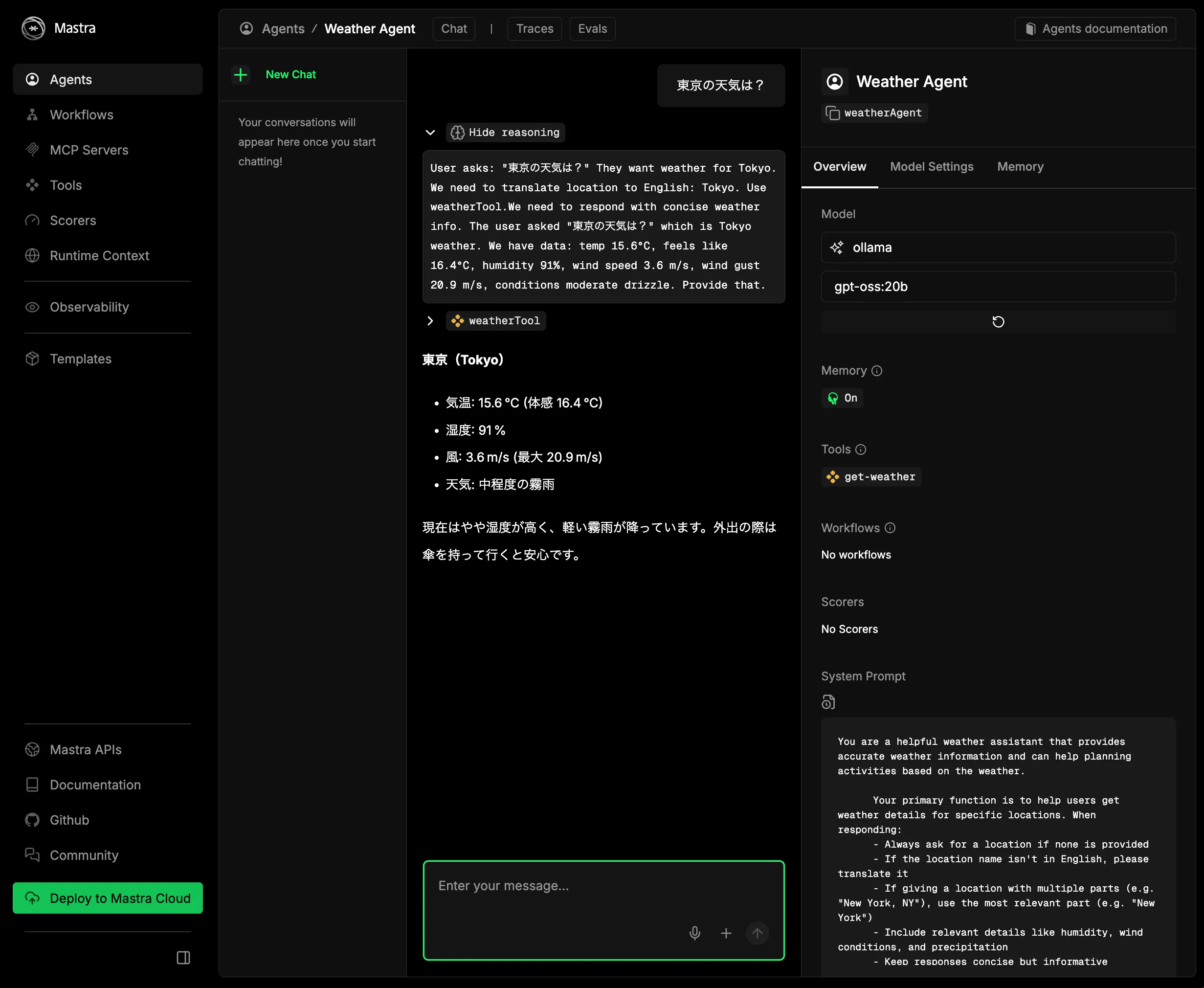
You should get a response. On the right, the model should show as ollama.
Summary
As a supplement to the previous article, I showed how to run the mastra sample with Ollama instead of LM Studio.
I recommended LM Studio before, but there isn't much difference in practice. If the models available on Ollama are sufficient, Ollama is probably fine.

