Contents9 sections
Notes
A collection of tips I've learned about Claude Code. This will be updated over time.
Note
Some features are listed but unverified because I hit Claude Code rate limits. Unverified items are marked with Unverified.
Best practices
Documentation about Skills
| Document | Description |
|---|---|
| anthropics/skills: Public repository for Agent Skills | Official Skills |
| ComposioHQ/awesome-claude-skills: A curated list of awesome Claude Skills, resources, and tools for customizing Claude AI workflows | Awesome repository |
| VoltAgent/awesome-claude-skills: The awesome collection of Claude Skills and resources. | Awesome repository |
Language settings
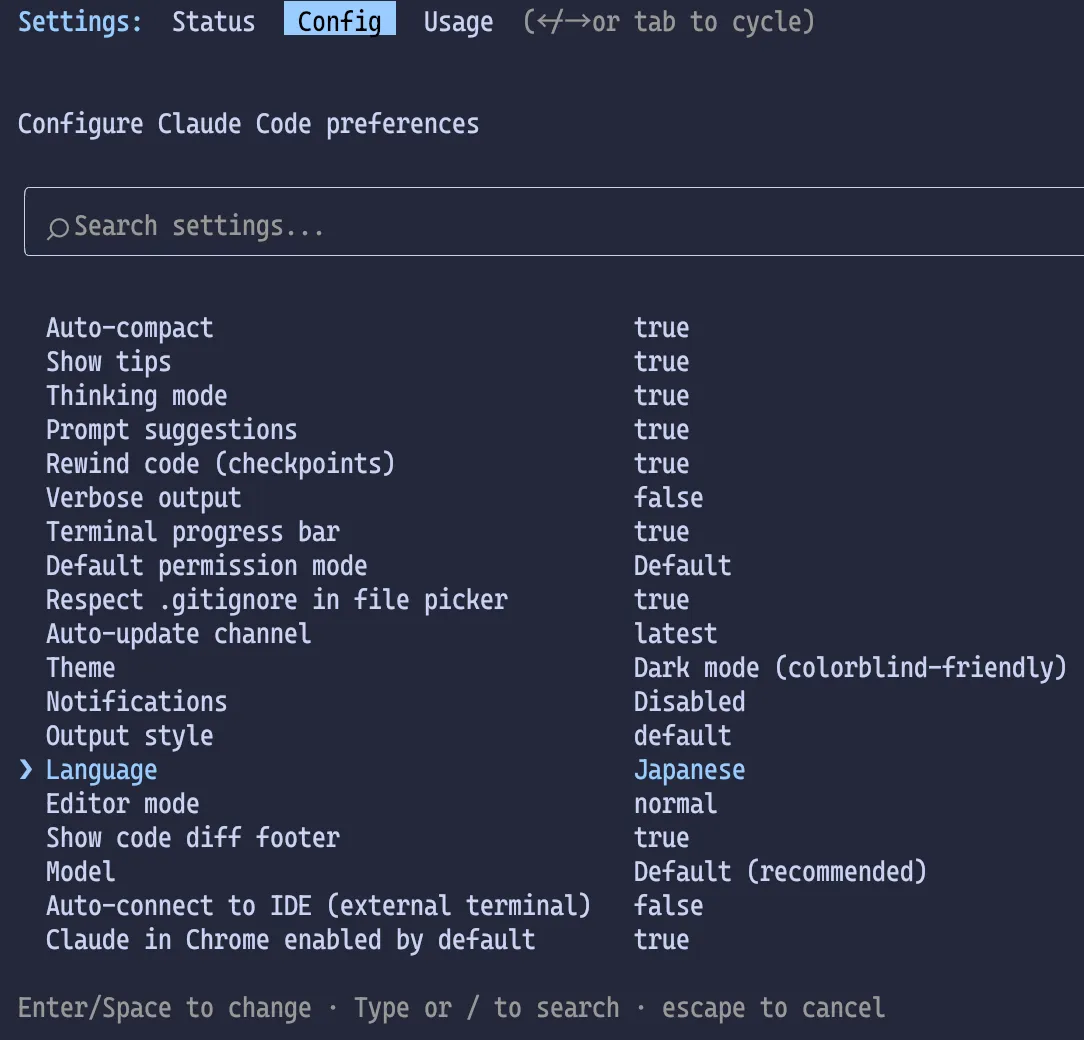
To set Claude Code to Japanese, run /config and set Language to Japanese or 日本語. You can also use Language to set a tone in addition to the language.
This only changes the language Claude uses; the config UI itself stays in English.
Added
languagesetting to configure Claude's response language (e.g., language: "japanese")
This is supported since 2.1.0.
Setup steps
Configure inside Claude Code
Launch Claude Code, type /config, and press Enter.
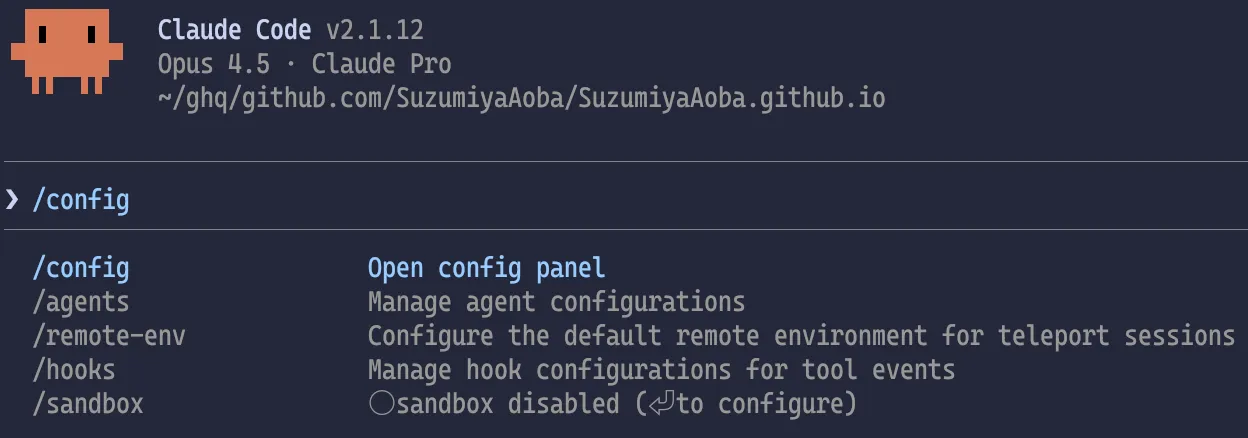
When the settings screen appears, move the cursor to Language with ↓ and press Enter.
An input field appears. Enter Japanese or 日本語 and press Enter.
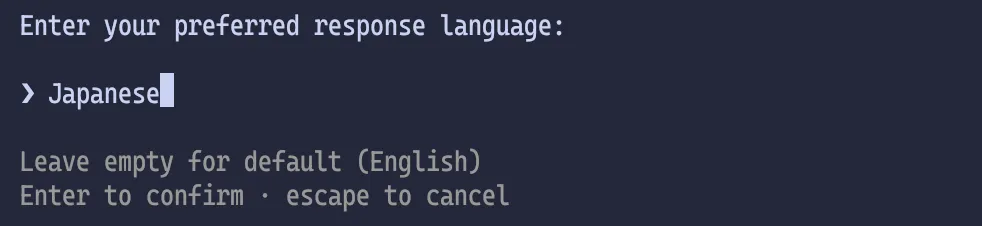
Now the default language for Claude Code is Japanese. Press Esc to exit the settings screen.
~/.claude/settings.json
Alternatively, add the following to ~/.claude/settings.json.
This has the same effect as setting it via /config.
Hide account info shown at startup
When Claude Code starts, it shows your email address and session history. If you want to hide that, set the environment variable CLAUDE_CODE_HIDE_ACCOUNT_INFO to 1.
If you only want to hide it for a specific repository, add the same setting to .claude/settings.json inside that repo.
Play a notification sound when tasks finish
To detect when a task finishes, add a hook to play a sound. Add the following to ~/.claude/settings.json (macOS example).
On macOS, pick any file from /System/Library/Sounds/ and update the path after afplay. If you use both Codex and Claude Code, it might be nice to set different sounds for each.
Choose the directory for Plan mode output Unverified
In Plan mode, generated plans are saved under ~/.claude/plans/ by default.
You can change the destination via plansDirectory in settings.json.
Added
plansDirectorysetting to customize where plan files are stored
If your team uses Claude Code and you want to review how others planned their implementation, you can set this per repo in .claude/settings.json and include the plans in PR reviews. That makes it easier to spot weak planning and also a good way to share knowledge.
Skills that got attention

実践Claude Code入門―現場で活用するためのAIコーディングの思考法

Claude CodeによるAI駆動開発入門
Amazon アソシエイトについて
この記事には Amazon アソシエイトのリンクが含まれています。Amazonのアソシエイトとして、SuzumiyaAoba は適格販売により収入を得ています。