Contents5 sections
Notes
Recap
This article is a supplement to Do Local AI Agents Dream of Electric Sheep? (Environment Setup) covering what I couldn't in the previous post. Last time I installed Ollama and LM Studio, then ran the mastra sample code using the API server created by LM Studio.
This time I explain how to run the sample using Ollama instead of LM Studio.
Using Ollama
The official docs recommend ollama-ai-provider-v2 for Ollama.
However, there is a bug where agents do not use tools with ollama-ai-provider-v2. As reported in the issue below, it fails to generate text after tool calls.
As noted in the issue, you can avoid this by using @ai-sdk/openai-compatible instead.
src/mastra/agents/weather-agent.ts
Specifically, define an ollama variable (name arbitrary) instead of lmstudio, and set baseURL to localhost port 11434, which is Ollama's default. If you changed the port, use your own.
Then use ollama for model and pass the model name. Here I want the gpt-oss 20b model, so gpt-oss:20b. You can check model names with ollama list.
Check it works
Start mastra and enter a prompt.
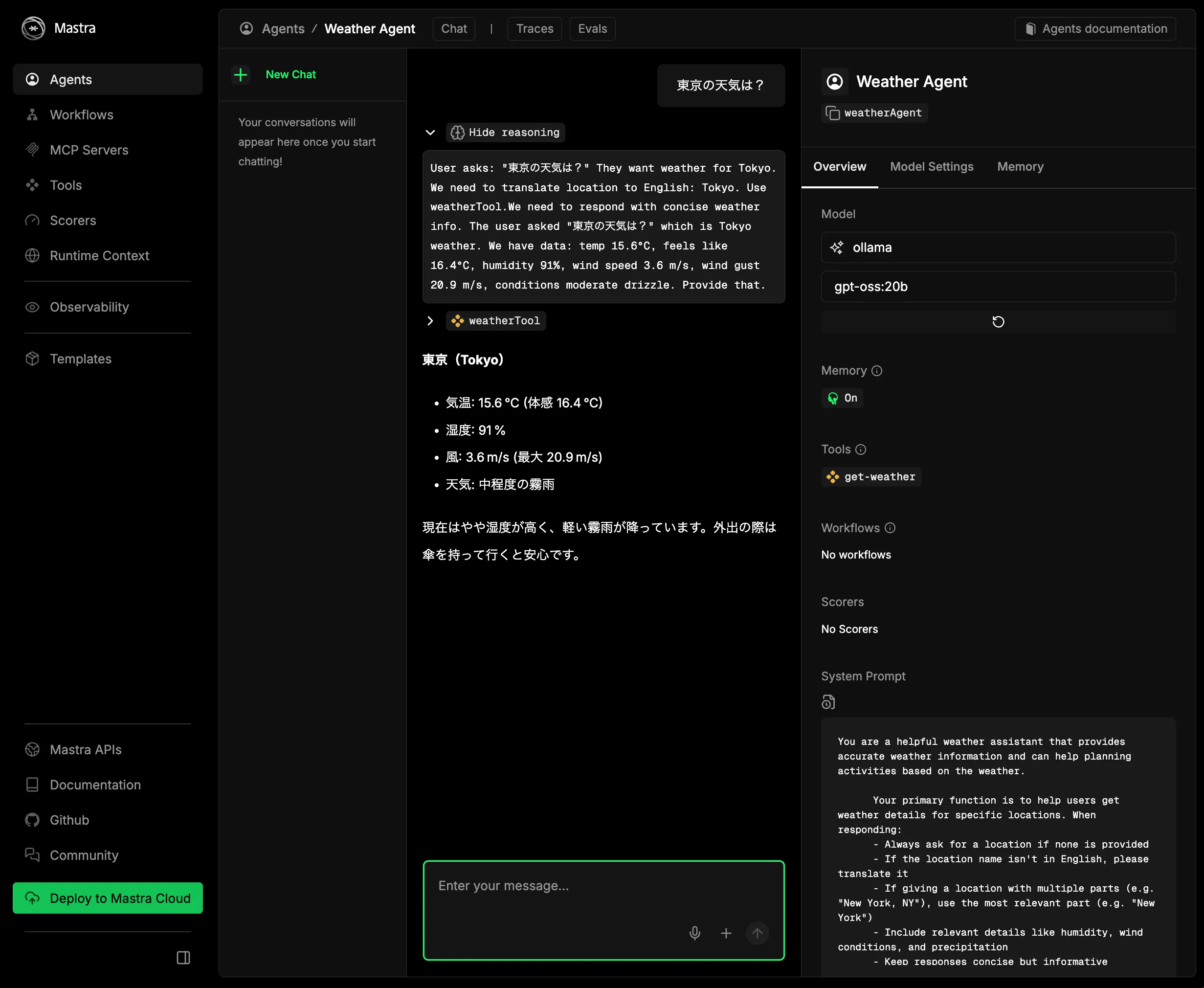
You should get a response. On the right, the model should show as ollama.
Summary
As a supplement to the previous article, I showed how to run the mastra sample with Ollama instead of LM Studio.
I recommended LM Studio before, but there isn't much difference in practice. If the models available on Ollama are sufficient, Ollama is probably fine.

現場で活用するためのAIエージェント実践入門

プロを目指す人のためのTypeScript入門 安全なコードの書き方から高度な型の使い方まで (Software Design plus)
Amazon アソシエイトについて
この記事には Amazon アソシエイトのリンクが含まれています。Amazonのアソシエイトとして、SuzumiyaAoba は適格販売により収入を得ています。